IrfanView (Install)

)

Usage
To install IrfanView (Install), run the following command:
choco install irfanview
To upgrade IrfanView (Install), run the following command:
choco upgrade irfanview
To uninstall IrfanView (Install), run the following command:
choco uninstall irfanview
Description
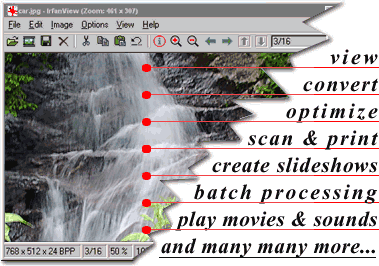
IrfanView is a very fast, small, compact and innovative FREEWARE (for non-commercial use) graphic viewer for Windows 9x, ME, NT, 2000, XP, 2003 , 2008, Vista, Windows 7, Windows 8, Windows 10.
It is designed to be simple for beginners and powerful for professionals.
IrfanView seeks to create unique, new and interesting features, unlike some other graphic viewers, whose whole “creativity” is based on feature cloning, stealing of ideas and whole dialogs from ACDSee and/or IrfanView! (for example: XnView has been stealing/cloning features and whole dialogs from IrfanView, for 10+ years).
IrfanView was the first Windows graphic viewer WORLDWIDE with Multiple (animated) GIF support. One of the first graphic viewers WORLDWIDE with Multipage TIF support. The first graphic viewer WORLDWIDE with Multiple ICO support.
Package Parameters
Pass package parameters with --params. Parameter names are case-insensitive;
values can use = or :. Quote paths containing spaces.
/desktop[=0|1]- create a desktop shortcut for IrfanView (default: 0)./thumbs[=0|1]- create a desktop shortcut for IrfanView Thumbnails (default: 0)./group[=0|1]- create an IrfanView group in the Start Menu (default: 1)./allusers[=0|1]- create desktop/Start Menu shortcuts for all users (1) or only the current user (0); default: 1./currentuser[=0|1]- use current-user shortcuts; equivalent to/allusers=0when enabled. Takes precedence over/allusers./assocallusers[=0|1]- set associations for all users (Windows XP only; disabled by default)./assoc=VALUE- set file associations: 0 = none, 1 = images only (package default), 2 = all./ini=PATH- set the INI file folder (default:%APPDATA%\IrfanView). Environment variables are passed unchanged to the installer./folder=PATH- set the installation folder. When omitted, the installer uses the existing IrfanView folder, or Program Files for a new installation.
For switches, omit =0|1 to enable the option, or specify =0 to disable it.
/assoc, /ini, and /folder require values.
Example (PowerShell):
choco install irfanview --params "/desktop /currentuser /assoc=0 /folder='D:\Image Tools\IrfanView'"
Package Specifics
Defaults also apply to any options omitted when parameters are supplied:
/desktop=0 /thumbs=0 /group=1 /allusers=1 /assoc=1 /ini=%APPDATA%\IrfanView.
IrfanView All Plugins IrfanView All Languages IrfanView Shell Extension
Please Note: This is an automatically updated package. If you find it is out of date by more than a day or two, please contact the maintainer(s) and let them know package update issues that the package is no longer updating correctly.